GLB texture compression: KTX2 and WebP
Texture conversion changes the images embedded in a GLB. In this tool, choose KTX2 or WebP to enable the quality, scale and maximum-size controls. Keep triangle retention unchanged during this comparison so the effect of texture settings is easier to see.
Choose the format your viewer can load
| Texture output | Use and loading requirement |
|---|---|
| Original format | Keeps the existing encoding. Useful as a comparison baseline. |
| WebP | Uses EXT_texture_webp. Check support in the destination viewer. |
| KTX2 / ETC1S | A compact Basis Universal encoding. Requires KHR_texture_basisu support. |
| KTX2 / UASTC | Usually keeps more texture detail at a larger file size. It uses the same KTX2 loading path. |
Dimensions and encoding quality do different jobs
A 50% texture scale halves width and height, leaving one quarter of the pixels before mipmaps. The maximum-size setting also limits the output dimensions. Encoding quality controls the codec rather than image dimensions, so quality 8 in WebP is not equivalent to quality 8 in ETC1S or UASTC.
Inspect lettering, alpha edges and fine surface detail after resizing. Normal maps need particular care because small value changes can alter shading. Test the texture under the lighting and zoom level used in your application.
A comparison using one 1024 × 1024 texture
| Encoding and dimensions | GLB size (bytes) |
|---|---|
| Original PNG, 1024 × 1024 | 2,914,152 |
| WebP, 1024 × 1024 | 445,632 |
| ETC1S, 1024 × 1024 | 258,488 |
| UASTC, 1024 × 1024 | 1,373,516 |
| WebP, 512 × 512 | 118,088 |
This fixture is our CC0 ripple mesh with a generated gradient-and-noise PNG, encoded by native gltfpack 1.3. All rows use Meshopt compression, 8,192 triangles and quality 8 where conversion applies. These are complete GLB sizes, not isolated texture sizes. The table measures bytes, not visual quality or GPU memory.
Compare the texture on the same surface
These close views use the same mesh, camera, lighting and material settings. They render the actual files from the table in Three.js 0.180.0. The generated texture contains gradients and fine noise; it is useful for inspecting those details, but does not represent lettering, transparency or normal maps.
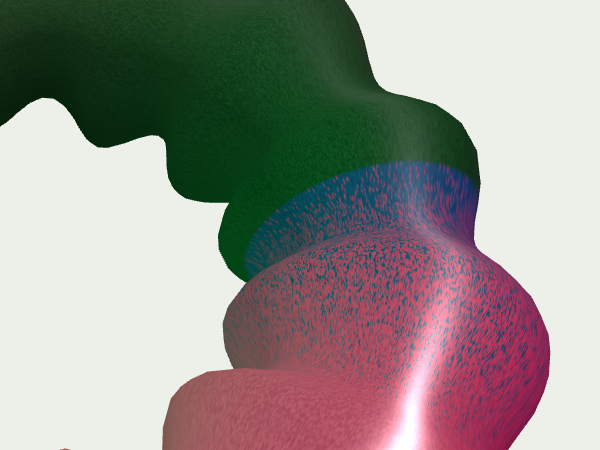
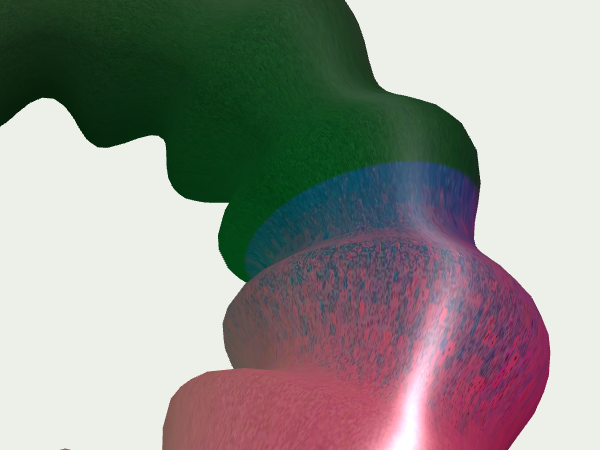
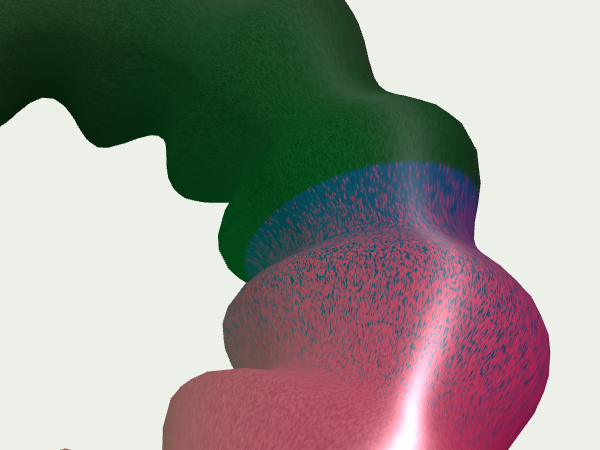
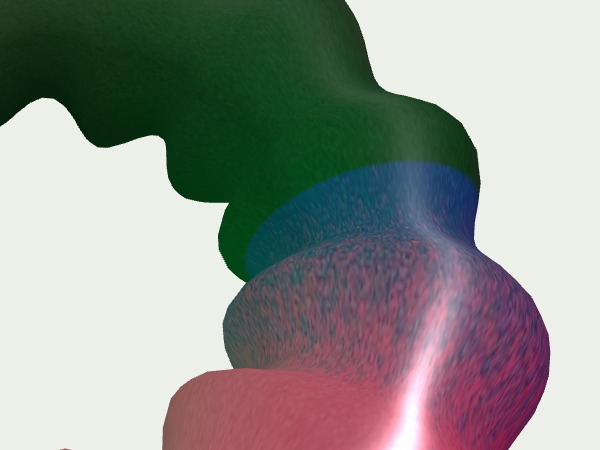
In these captures, the ETC1S version smooths out some of the fine noise on the pink surface, while UASTC keeps more of its speckled appearance. The half-size WebP version blurs the small variations more visibly. Compare this observation with the file-size table: preserving those details comes at a different cost for each encoding.
Open the images at full size and compare small variations in color and surface detail. The webpage scales the previews down, which can hide differences. These screenshots are visual references from one browser and GPU, not a quality score or a guarantee of identical rendering on every device.
Example: halve texture dimensions and export WebP
gltfpack -i input.glb -o output.glb -cc -tw -tq 8 -tj 1 -ts 0.5 -kn -km -keIn the interface, select Smaller file, choose WebP, open Advanced settings and set Texture scale to 50%. Leave Maximum texture size unchanged unless you also need a pixel limit. Reopen the result in your target viewer before using it.
Configure KTX2 and Meshopt loading in Three.js →
Engine reference: gltfpack
Open the optimizer ↗