Animated GLB optimization: a CesiumMan case study
How much do you gain by reducing animation samples or triangles after compression? We tested CesiumMan, a public skinned character, to separate those decisions. Meshopt saved most of the bytes; lowering animation sampling added very little.
The model and the test conditions
The source GLB is 438,044 bytes with 4,672 triangles, one animation and a skin with 19 joints. We ran native gltfpack 1.3 on Windows on October 2, 2026. Every export started from the same original. Textures stayed in their original format; named nodes, named materials and extras were preserved. Animation sampling stayed at the default 30 FPS except in the 15 FPS trial.
Model source and license · Download measurements and source hash
Compare the whole file, not just the key count
| Setting | File size (bytes) | Triangles | Animation keys |
|---|---|---|---|
| Original | 438,044 | 4,672 | 2,736 |
| Conservative | 269,452 | 4,672 | 1,205 |
| Meshopt · 30 FPS | 207,768 | 4,672 | 1,205 |
| Meshopt · 15 FPS | 206,240 | 4,672 | 625 |
| Meshopt · 50% triangle retention | 193,796 | 2,336 | 1,205 |
Animation keys here means the sum of input-accessor counts across animation samplers, not distinct poses or rendered frames. All outputs still have one animation and 19 skin joints. Those counts do not prove that timing, transforms or deformation are unchanged.
What each change bought us
Meshopt reduced the original by 52.6% without requesting triangle reduction. Even the Conservative export changed animation data: its key count fell from 2,736 to 1,205. Keeping every triangle is not a lossless setting.
At 15 FPS, the key count nearly halved again, but the file was only 1,528 bytes smaller than the 30 FPS Meshopt export: a 0.74% saving. For this model, we would keep 30 FPS unless a separate motion check justified the lower rate. Fewer keys do not translate into the same percentage reduction in the whole file.
The 50% triangle target was reached exactly: 2,336 triangles. It saved 13,972 bytes, or 6.72%, compared with Meshopt alone. Enabling aggressive simplification at that same target produced the same byte size and triangle count in this test, so it offered no size benefit here. This is not a general result for other meshes.
Inspect the same pose, then inspect motion
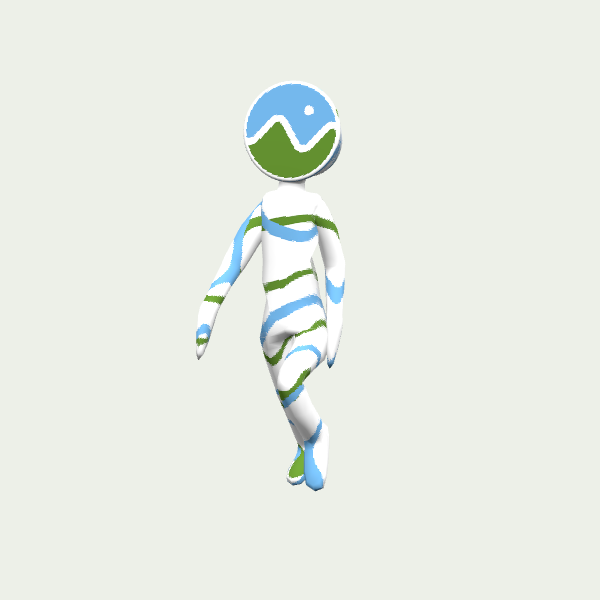
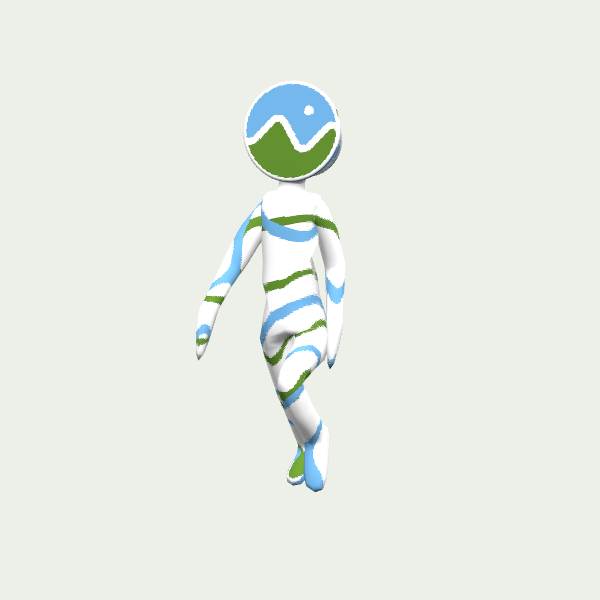
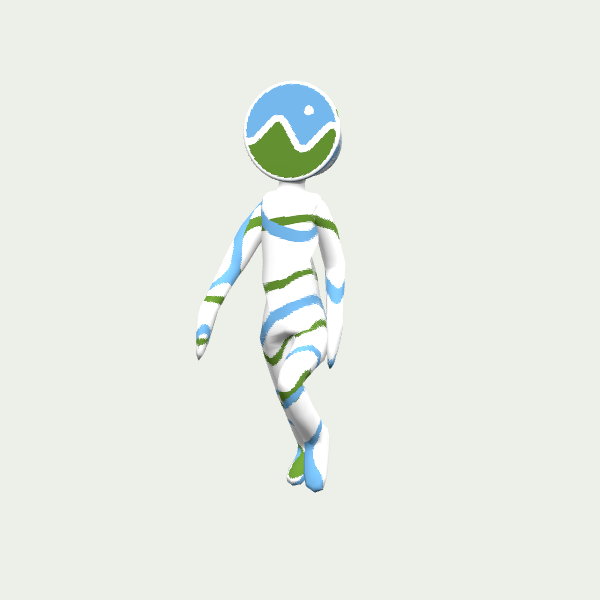
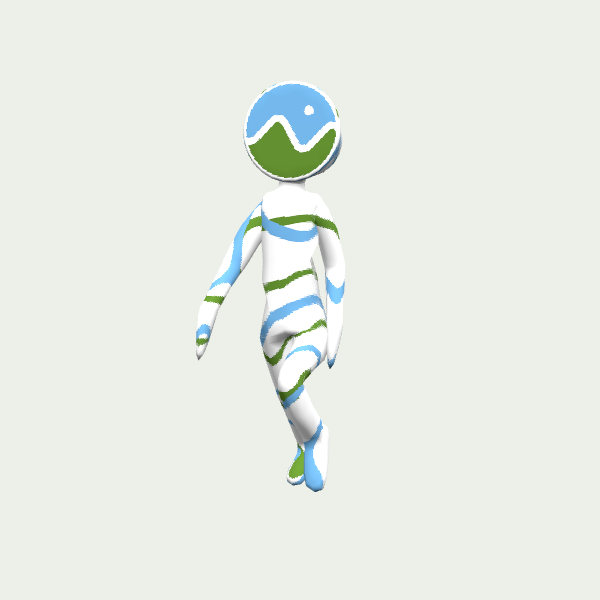
These renders use the first animation at 0.5 seconds, the same camera and lighting, and Three.js 0.180.0. Textures remain visible and the character retains its overall silhouette in this view. A still image cannot establish motion quality or reveal every deformation error; inspect elbows, knees and the loop transition in your own viewer.
There is also a timing difference: Three.js reports a 2.0000-second source clip, about 2.0083 seconds for the 30 FPS exports and 2.0417 seconds for the 15 FPS export. If your application synchronizes actions to clip duration, test that integration rather than assuming the original timing survived.
Reproduce the exports
Use the source GLB as input.glb for every command below. These commands match the site's options. Meshopt outputs require a compatible decoder, and the optimized files also require geometry quantization support.
gltfpack -i input.glb -o conservative.glb -kn -km -ke
gltfpack -i input.glb -o meshopt.glb -cc -kn -km -ke
gltfpack -i input.glb -o fps15.glb -cc -af 15 -kn -km -ke
gltfpack -i input.glb -o half.glb -si 0.5 -cc -kn -km -ke
Our starting choice for this asset would be Meshopt at 30 FPS with all triangles retained. Consider the half-triangle version when geometry cost matters and deformation checks pass. These measurements cover one small character; they do not measure GPU time, loading speed or animation fidelity across devices.
Model: CesiumMan, © 2017 Cesium, licensed under CC BY 4.0. Renders show our optimized derivatives alongside the original. The Cesium logo remains part of the model; trademark rights are separate. Cesium has not endorsed this site or this comparison. CC BY 4.0 · Trademark notice
Load gltfpack models in Three.js → · GLB polygon reduction with gltfpack →
Open the optimizer ↗